| View previous topic :: View next topic |
| Author |
Message |
henrywood
Contributor

Joined: 21 Sep 2004
Posts: 66
Location: Copenhagen, Denmark
|
 Posted: Wed Mar 16, 2005 4:44 pm Post subject: I need a small DLL made - Screen Clip - Can someone help me? Posted: Wed Mar 16, 2005 4:44 pm Post subject: I need a small DLL made - Screen Clip - Can someone help me? |
 |
|
Hi guys !
I was wondering if anyone of you DLL developers or API knowledgable folks could help me with this:
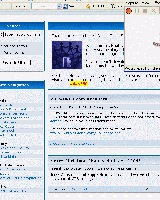
I need a DLL or API calls to be able to capture either part of or the entire screen in the fashion demonstrated by the attached screenshot and to handle clip events (fired when the user is done clipped part of the screen)
The DLL should basically enable me to get dimensions and coordinates of the clipped area - Example code of all commands and functions follow:
| Code: |
...
:DEFINECLIPBUTTON
dialog hide
# Reset the clip DLL / Remove drawn rectangle
CLIP INIT
# Set the cursor to use during drawing of clipping rectangle
CLIP SET,CURSOR,CROSS
# Define the event name fired when done clipping (event should be fired upon releasing the mouse button)
CLIP SET,DONEEVENT,CLIPDEFINED
# Define the event name fired when cancelling clipping
CLIP SET,CANCELEVENT,CLIPCANCELLED
# Set the key that will fire cancel (same as @key )
CLIP SET,CANCELKEY,ESC
# Set background of Height / Width Field
CLIP SET,BACKGROUNDCOLOR,YELLOW
CLIP SET,FOREGROUNDCOLOR,RED
:EVLOOP
WAIT EVENT
goto @event()
:CLIPCANCELLED
# Remove drawing rectangle
CLIP INIT
dialog show
goto evloop
:CLIPDEFINED
# Get X Coord of Clip
%X = @CLIP(getcoord,x)
# Get Y Coord of Clip
%Y = @CLIP(getcoord,y)
# Get Width
%W = @CLIP(getwidth)
# Get Height
%H = @CLIP(getheight)
CLIP INIT
info X-Coord: %X@cr()Y-Coord: %Y@cr()Height: %H@cr()Width: %W
dialog show
goto evloop
...
|
Since this is a bit urgent I would be willing to pay a reasonable fee to get such a DLL or code made
Sincerely,
Henrik
[/code:1:401072a4ba]
| Description: |
|
| Filesize: |
71.39 KB |
| Viewed: |
1416 Time(s) |
|
|
|
| Back to top |
|
 |
ShinobiSoft
Professional Member


Joined: 06 Nov 2002
Posts: 790
Location: Knoxville, Tn
|
| Posted: Wed Mar 16, 2005 4:52 pm Post subject: |
|
|
I could handle this task. You can contanct me via email if you'd like. 
_________________
Bill Weckel
ShinobiSoft Software
"The way is known to all, but not all know it." |
|
| Back to top |
|
|
Boo
Valued Contributor


Joined: 31 Oct 2003
Posts: 599
Location: Gulf Breeze, Florida USA
|
|
| Back to top |
|
|
marty
Professional Member

Joined: 10 May 2001
Posts: 789
|
| Posted: Wed Mar 16, 2005 6:11 pm Post subject: |
|
|
How about this?
Let me know how it goes.
I noticed sometimes it does not capture the region properly.
What I like about that DLL, is the fact that you can choose the JPEG quality to be saved.
| Description: |
|

Download |
| Filename: |
capturevds.zip |
| Filesize: |
23.68 KB |
| Downloaded: |
1457 Time(s) |
|
|
| Back to top |
|
|
henrywood
Contributor
Joined: 21 Sep 2004
Posts: 66
Location: Copenhagen, Denmark
|
| Posted: Wed Mar 16, 2005 6:26 pm Post subject: Thanks ! |
|
|
Hi Marty and Boo !
The important thing is NOT to capture the screen or part of it but to get notified when the user of my app has defined a clip/part of the screen using his mouse. After the clip size and coordinates are defined I would be able to use your code....
Nice try however, Marty ...
Bill is looking into making it so as much as I appreciate your help, I think I will go with him... But thanks guys !
Henrik
|
|
| Back to top |
|
|
Boo
Valued Contributor
Joined: 31 Oct 2003
Posts: 599
Location: Gulf Breeze, Florida USA
|
| Posted: Wed Mar 16, 2005 8:31 pm Post subject: |
|
|
Hi Again,
I wouldn't mind getting a copy of Bill's DLL if possible. I shall be glad to pay for it.
Thanks,
- Boo
|
|
| Back to top |
|
|
FreezingFire
Admin Team

Joined: 23 Jun 2002
Posts: 3508
|
| Posted: Sat Mar 19, 2005 2:17 am Post subject: |
|
|
I may be interested too.
_________________
FreezingFire
VDSWORLD.com
Site Admin Team |
|
| Back to top |
|
|
ShinobiSoft
Professional Member
Joined: 06 Nov 2002
Posts: 790
Location: Knoxville, Tn
|
| Posted: Sat Mar 19, 2005 2:35 pm Post subject: |
|
|
At the moment, i cannot release this dll until I hear from HenryWood. But to
give you all an idea of what it does::
| Code: |
- Optional paramaters and arguments are enclosed in [ ].
- Required parameters are enclosed in < >.
- Required optional parameters are enclosed as follows [< >].This just means that to use
the optional parameter you must provide all arguments surrounded by < >.
- Color values can be specified in #WEB, $HEX, or R|G|B formats.
------------
- COMMANDS -
------------
CLIPRC FIELDSEP,<fieldsep char or string>
Same as OPTION FIELDSEP. The default fieldsep char is '|'
CLIPRC SET,<option>,<data>
where options are:
OSD,<ON;OFF> ( On Screen Display (OSD))
Either turns on the on screen display, or turns it off. The OSD is displayed in
the center of the clipping rectangle. The clipping rectangle will always be shown,
but the displayed width and height (OSD) of the selection can be turned off or on.
This option is ON by default.
DONEVENT,<event name>
Defines the event name that is fired when a user releases the left mouse button.
If the event is not defined, nothing will happen when the user finishes a clipping
session.
CANCELEVENT,<event name>
Defines the event name that is fired when a user presses the CANCELKEY. See below.
CANCELKEY,<KEY>
This is the keypress that will cancel a clipping session and trigger the CANCELEVENT.
The default CANCELKEY is ESC. (All alphanumerics, INS, HOME, END, DEL, PGUP,
PGDN, UP, DOWN, LFT, RGT, F1...F12). Number keypad keys are not supported.
TEXT,<text>
The text to be displayed to the left of the clipping selection width and height OSD.
BACKGRND,<OPAQUE|TRANSPARENT>
Determines if the background color is shown or not. the default is OPAQUE and it enables
the background color if the OSD is also enabled. TRANSPARENT makes the background
invisible so the background color is not shown.
BACKCOLOR,<#WEB;$HEX;R|G|B>
This sets the background color for the OSD. The default background color is YELLOW.
TEXTCOLOR,<#WEB|$HEX|R|G|B>
This sets the foreground color for the OSD. The default text color is RED.
CLIPRC INIT
Initializes data and creates invisible clipping window.
CLIPRC UNINIT
Destroys the clipping window and clears internal variables.
CLIPRC SCREENCAPTURE,<filename>[,<x,y,cx,cy>]
With out the option parameters, this command saves a copy of the screen to disk as a bitmap.
Include the option parameters, and this command will only save the portion of the screen
identified by the optional parameters to disk.
-------------
- FUNCTIONS -
-------------
For any of the following functions to work, you must have called CLIPRC INIT command.
Internally all of these values are initialized to zero when the dll is first loaded
and when a call to CLIP UNINT is made. This ensures that you don't retreive faulty or
incorrect position and size ranges.
@CLIPRC(VERSION)
Returns the version number of ClipRc.Dll.
@CLIPRC(START)
The X and Y coordinates where the drag started
@CLIPRC(END)
The X and Y coordinates where the drag ended
@CLIPRC(WIDTH)
The width of the clipping rectangle.
@CLIPRC(HEIGHT)
The height of the clipping rectangle.
@CLIPRECT(RECT)
The entire clipping rectangle. Returned delimited by the
fieldsep character. (X|Y|CX|CY)->
X = X coord.
Y = Y coord.
CX = Width
CY = Height
|
If HenryWood opts to back out, I will release this dll, otherwise he will own
the dll and it will be up to him as to whether to release it or not.
The dll does have a screen capture command, which can optionally save
the entire desktop or only a portion of the desktop to a bitmap file. I think
I can add JPEG and GIF formats for exporting the screen shots to.
_________________
Bill Weckel
ShinobiSoft Software
"The way is known to all, but not all know it." |
|
| Back to top |
|
|
marty
Professional Member
Joined: 10 May 2001
Posts: 789
|
| Posted: Sat Mar 19, 2005 6:43 pm Post subject: |
|
|
Excellent
I vote for JPEG support for output and if possible settings of the quality, if ya need the source of the example DLL I posted, let me know 
|
|
| Back to top |
|
|
FreezingFire
Admin Team
Joined: 23 Jun 2002
Posts: 3508
|
| Posted: Sun Mar 20, 2005 1:17 am Post subject: |
|
|
Marty, did you write the DLL you posted? Just wondering
_________________
FreezingFire
VDSWORLD.com
Site Admin Team |
|
| Back to top |
|
|
marty
Professional Member
Joined: 10 May 2001
Posts: 789
|
| Posted: Sun Mar 20, 2005 1:59 pm Post subject: |
|
|
| no, got it off the web. its in C
|
|
| Back to top |
|
|
|
|
You cannot post new topics in this forum
You cannot reply to topics in this forum
You cannot edit your posts in this forum
You cannot delete your posts in this forum
You cannot vote in polls in this forum
You can attach files in this forum
You can download files in this forum
|
|

 FAQ
FAQ Search
 Memberlist
 Usergroups
 Register
 Profile
 Log in to check your private messages
 Log in


 @vdsworld